Balanza is a free calorie counter for Android and iPhone in ten languages: English, Spanish, Portuguese, Romanian, Greek, Hungarian, Bulgarian, Slovak, Russian and Czech. You photograph a meal, type a few words or scan a barcode; the AI works out the calories and the protein; and a daily target keeps correcting itself from the way your weight actually moves, week after week. Water and sugar sit on the home screen too. No account, no subscription, no photo archive.
Seven ways to log a meal
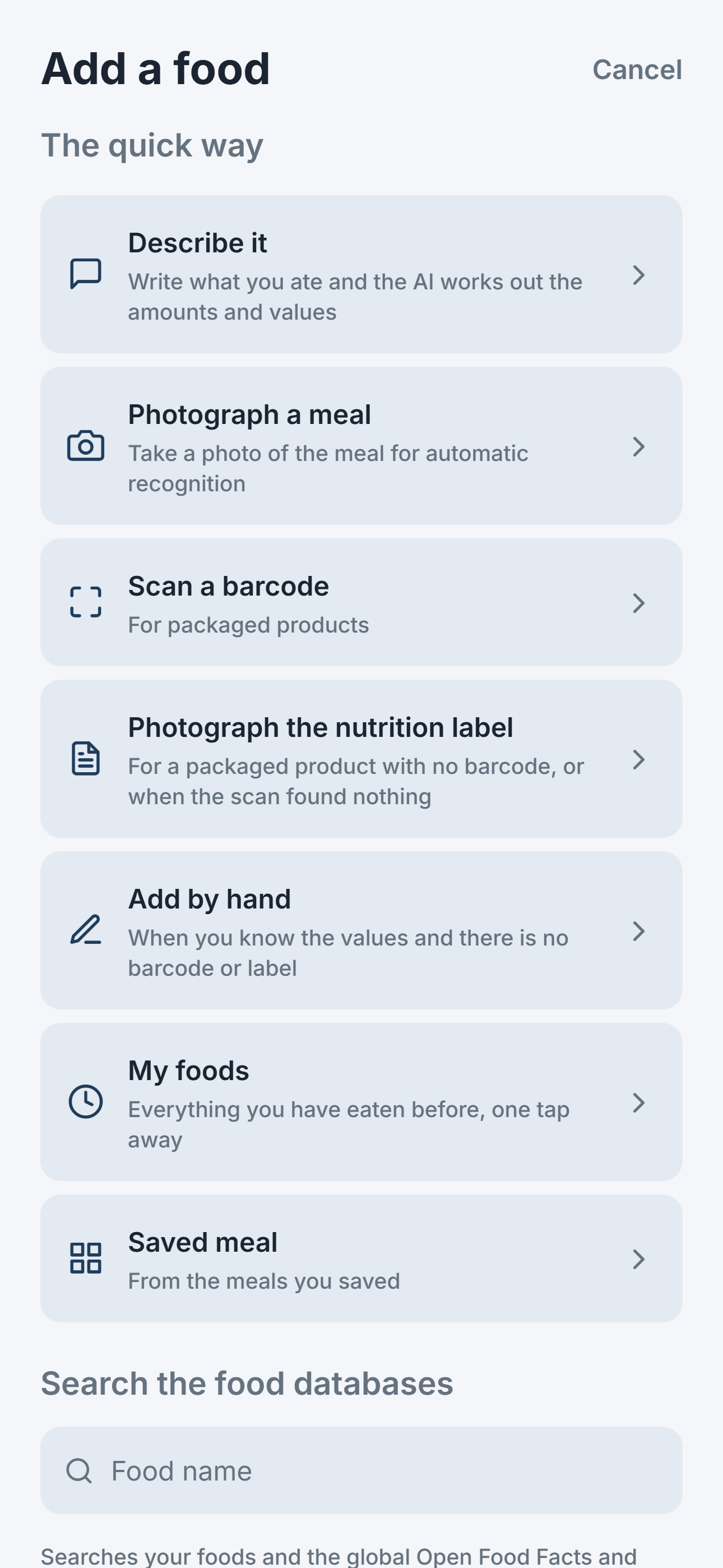
- Describe it. "Two eggs and a slice of toast", in your language, with your own portion words: a slice, a cup, a handful. The AI works out the amounts and the values. Common answers are cached, so a second person typing "pizza" in Spanish gets an instant reply.
- Photograph the meal. Point the camera at the plate, or pick a photo from the gallery and it is logged to the day and meal it was taken. The AI lists what it sees, with an estimated weight for each food, and you correct anything before saving. The picture is shrunk on the phone and discarded once the answer is back. On Android you can also share a meal photo into Balanza straight from the gallery or from WhatsApp.
- Scan a barcode. Packaged products come from Open Food Facts and USDA FoodData Central, matched by the code on the label, so the numbers are the ones printed on the pack. A pack of sausages or nuggets suggests the weight of one piece, so you log "3" without weighing.
- Photograph the nutrition label. For a packaged product with no barcode, or when the scan found nothing: the AI reads the table on the back of the pack. Scanning has a torch, tap to focus and zoom, and a label photographed once makes that barcode known next time.
- Search the databases. Type a name and search your own foods and the global Open Food Facts and USDA databases, right from My foods.
- My foods, saved meals and your usual. The add screen suggests what you usually eat at this hour, so a regular breakfast is one tap. Everything you have eaten before is close by, and any set of foods can be saved as a meal with a name and logged again in one go.
- Add by hand. When you know the values and there is no barcode or label.
All of it starts from one add screen. It opens with a field on top, where you type what you ate, and a big photo button underneath; My foods, the barcode scanner, saved meals, the nutrition label and manual entry are one tap away, and your recent foods wait below, each with a plus button.
Whatever the path, everything lands on one confirmation screen where the quantity and the values can be fixed, and every correction is remembered in your own food list for next time. Drinks are measured in ml (or fl oz in imperial units), and a whole cake or pot can be divided into pieces, so logging asks how many pieces you ate.
The home screen: calories, protein, water and sugar
- The last seven days across the top, each with its own ring: tap a day you missed to fill it in, and when yesterday is still empty, a card in the morning reminds you.
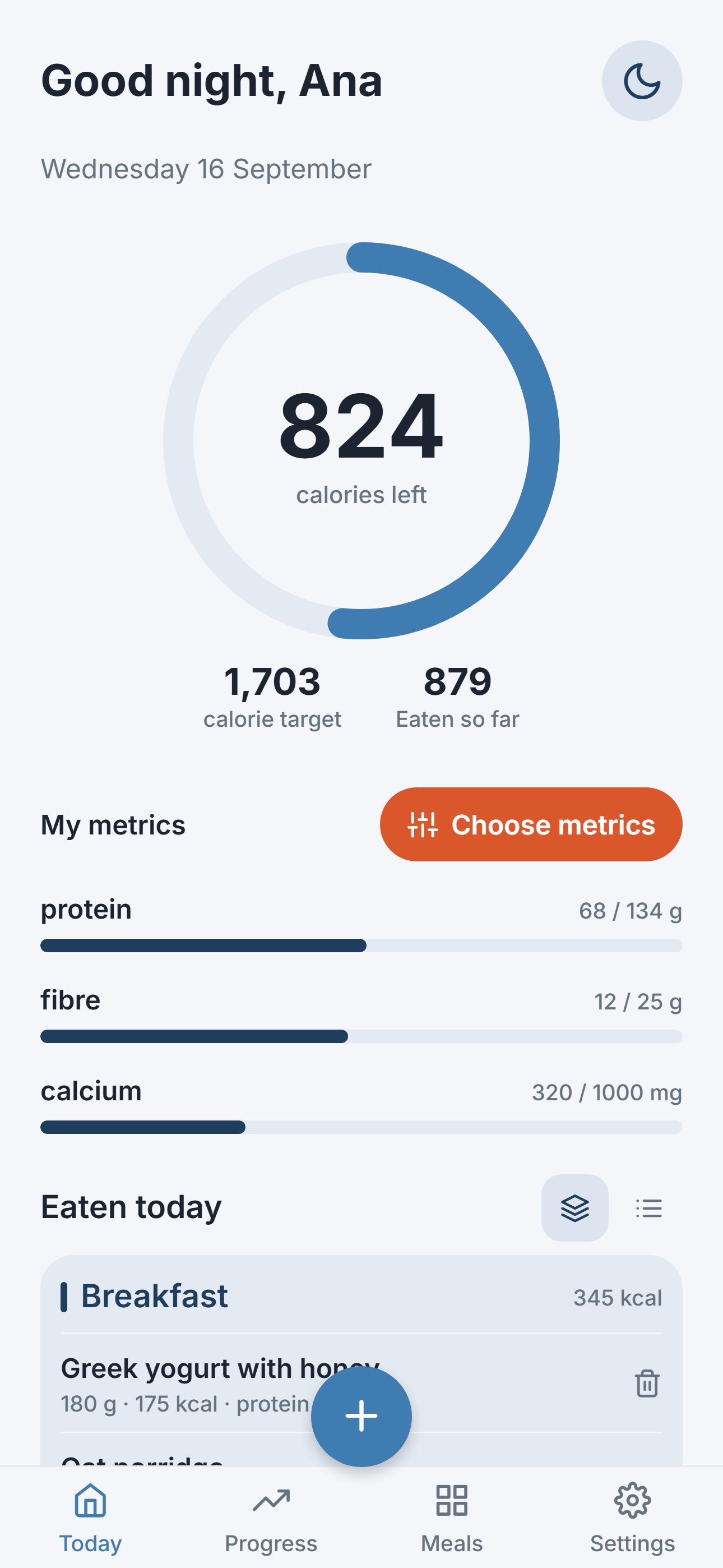
- Calories and protein against today's target, the heart of the app.
- Water: a glass that fills up as you log your drinks, with the amount shown exactly (1.25 L, not rounded). The daily goal follows the European Food Safety Authority (EFSA) guidance, an optional reminder nudges you during the day, and you can count in ml or fl oz.
- Sugar as an upper limit, not a goal: set from the World Health Organization (WHO) advice to keep sugars under 10 percent of your daily calories, so you see at a glance how much room is left today.
- The weekly card: at the start of each week, a short summary of the week that just ended.
And on the phone's own home screen, on Android and on iPhone, a weight widget shows your weight and reminds you on weigh-in mornings to step on the scale.
Your day, your hours
You choose the hour your day starts, for late nights and night shifts, so a snack after midnight still counts toward the day you are living, and you choose the first day of your week.
Started in under a minute
The first run starts with food, not with a form: you log something you ate, and then one sentence about yourself is enough for Balanza to set your daily target. Everything else, from reminders to your diet type, waits in Settings for when you want it: one short screen with your daily target on top, and help and your account in small screens of their own.
A target that learns from your scale
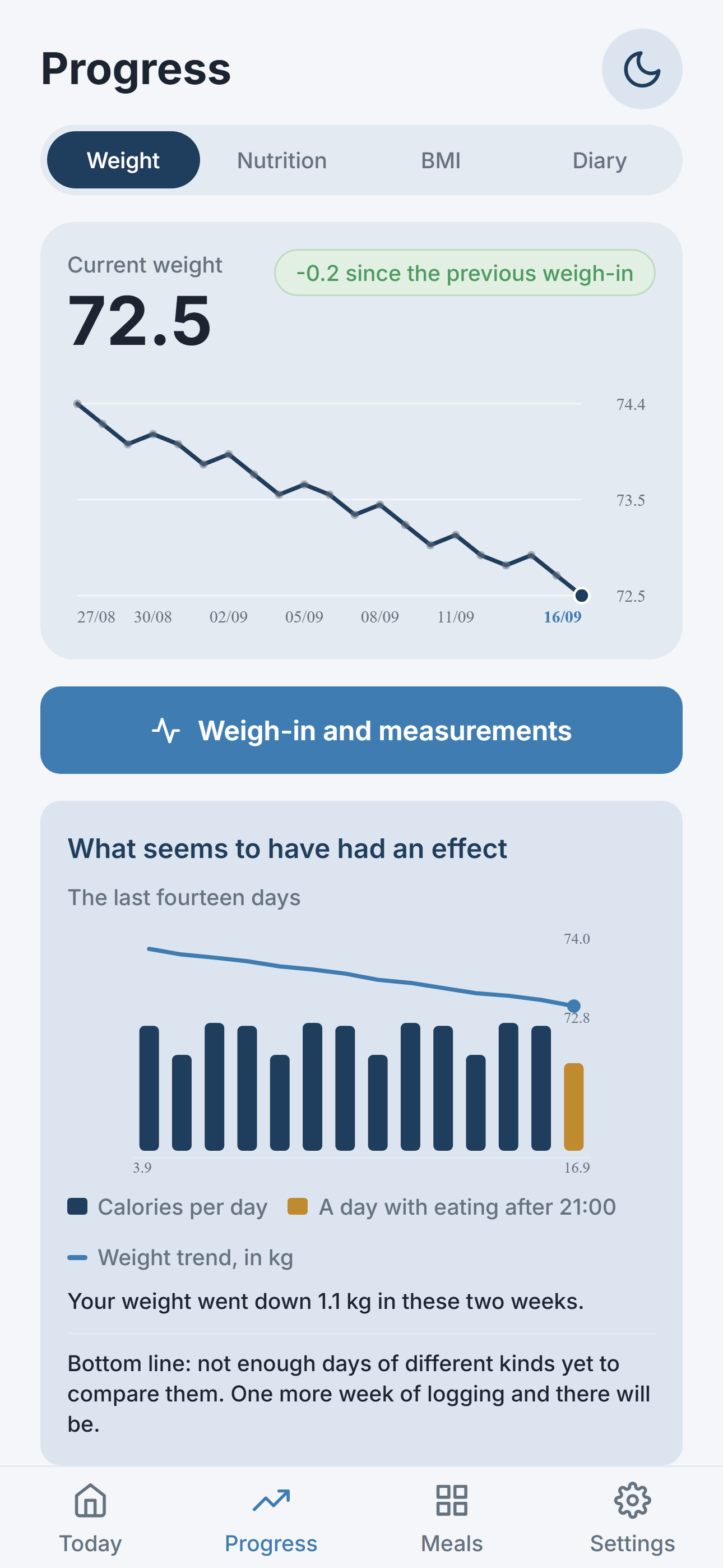
Most calorie apps give you a number on day one and never look at it again. Balanza starts the same way, with the Mifflin-St Jeor formula, your activity level and the pace you chose. Then, once a week, it compares what you logged with how your weight really changed, estimates your true daily expenditure and moves the target a little. If you under-log by a steady 15 percent, the target absorbs it. Every change is explained in plain words on the progress screen, and guard rails keep the number from jumping. Training days get their own target, and the diary and the weekly chart measure them against it.
Your diet, recognised
Pick a diet during onboarding or in Settings: no restrictions, Orthodox fasting, vegetarian, vegan, keto or low-carb, gluten-free or lactose-free. Photo and text recognition then understand what is really on the plate: a vegan's schnitzel is recognised as a plant-based schnitzel, with its own values.
What the progress screen shows
- The diary by meal: breakfast, lunch, dinner and snacks, with calories and protein for each and for the day.
- The weight trend: a smoothed line through your weigh-ins, so one salty dinner does not look like a failed week. One tap turns it into a table of every weigh-in, with the change since the previous one and since the start, and a summary for each month.
- The weekly overview: average calories and protein per day, days on target, the change in the target and why.
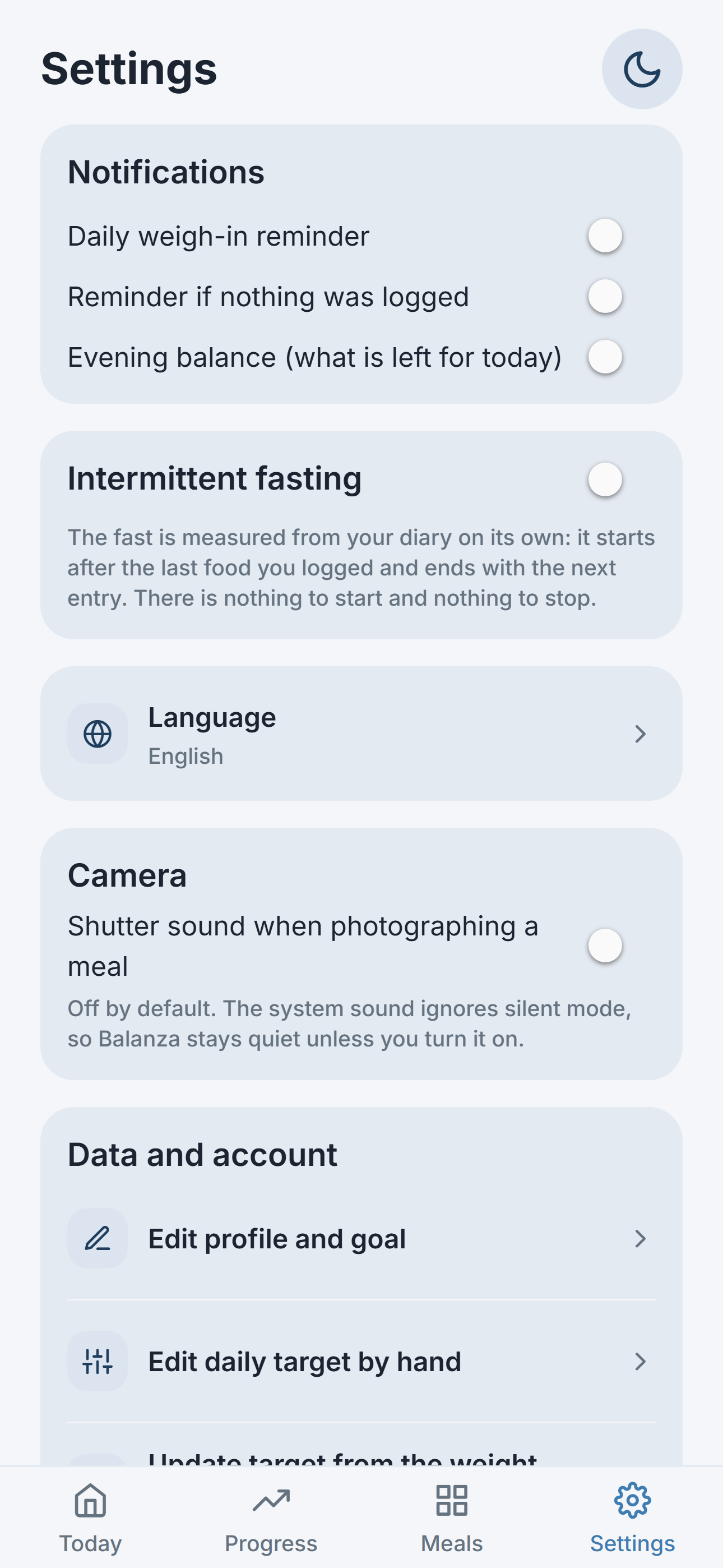
- Intermittent fasting, measured, not timed: the gap between the last entry of one day and the first of the next is your fasting window, read straight from the diary.
- Body measurements: weight, waist, chest and hips, with the waist-to-hip ratio.
- Reminders for meals and for weigh-ins, every day or once a week, on the day and at the time you choose.
Ten languages, one app
Balanza picks the language of your phone and lets you switch in Settings, on Android and on the iPhone alike. The whole app follows: the interface, the day and month names, the first day of the week (Monday, or the day you choose), the number format, and the AI itself, which names the foods and the portions in your language. Every translation was written by a person who speaks the language and reviewed a second time before release.
Privacy and sources
There is no sign-up. Each install gets an anonymous id; the diary is tied to that id and to nothing else, and a button in Settings deletes it from the server. Food photos are never stored. The formulas and the databases the app relies on, EFSA and WHO among them, are listed inside it, each with a link to the original publication, together with a clear note that the app is a diary with a calculator and not medical advice.
The story
Balanza is the international edition of Maazan, a Hebrew nutrition app on Google Play and the App Store since 2025. The Hebrew app is right-to-left, knows Israeli products and starts the week on Sunday; Balanza is the same engine rebuilt for left-to-right languages, international food databases and a Monday week, so that friends and family abroad get the same tool in their own language. The two apps share their code and their lessons, and every improvement in one reaches the other.
Links
- Get it on Google Play: Balanza
- Download on the App Store: Balanza
- Share link for friends: balanza.pages.dev/get
- The Balanza website in Czech: balanza.pages.dev/cs
- Privacy policy
- Support: support@maazan.info