iBark turns caring for the family dog into something the whole household actually shares: a walk rota that fills itself in, a health record that reminds you before the vaccine is due, and a QR passport for the day the dog gets out. It is a Hebrew-language app, built for Israeli families, and it is free.
Note on language: the interface is Hebrew only, right to left. Everything below describes what the app does; if you do not read Hebrew, it will not be usable for you yet.
The problem it solves
Almost every household with a dog has one person carrying all of it. They remember when the dog last went out, when he ate, when the flea treatment is due, when the next vaccine is. Everyone loves the dog. One person manages him. That ends one of two ways: burnout, or something quietly falls through.
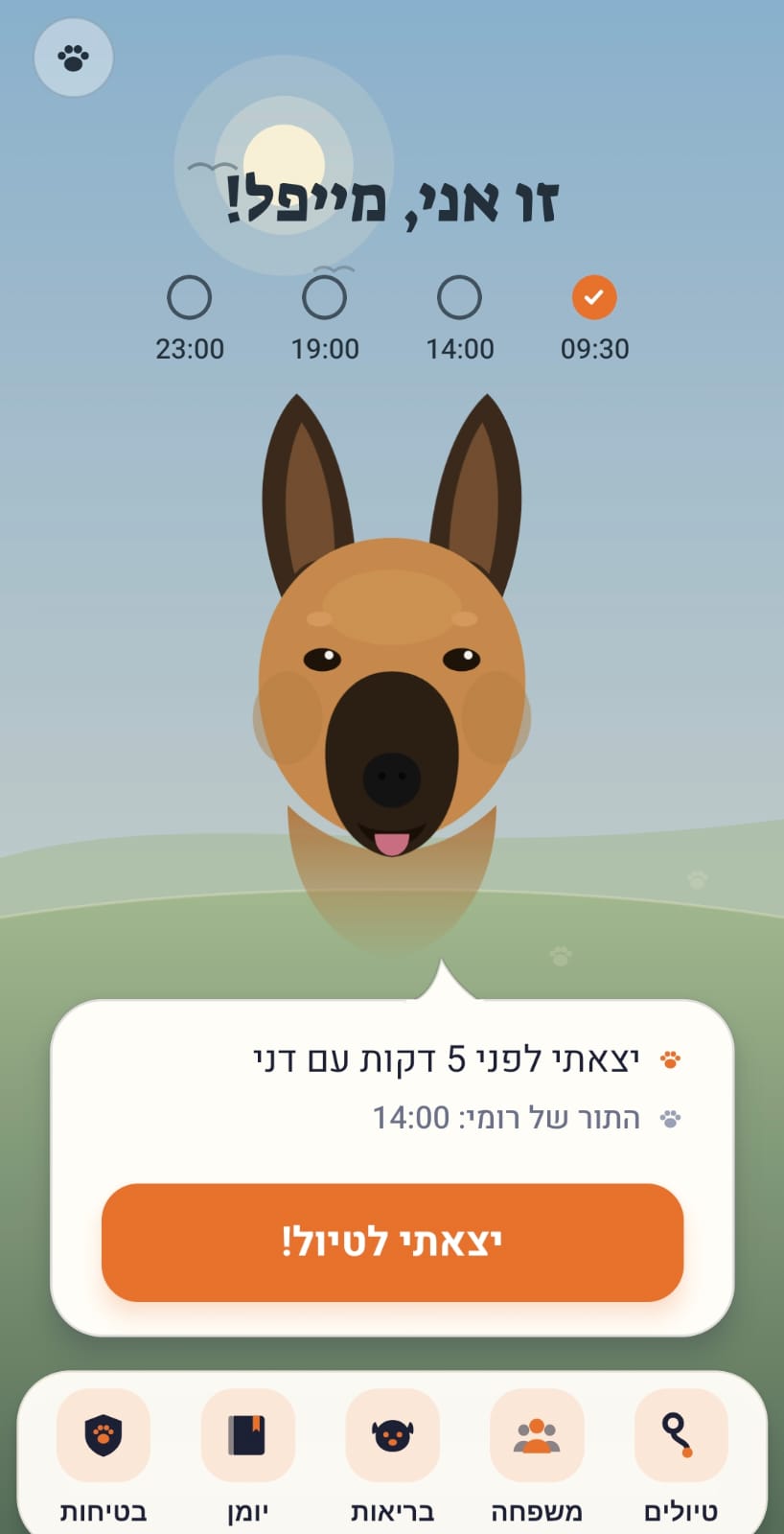
The usual fix is a shared chore list, and it almost always fails. A task is easy to ignore. Someone waiting by the door is harder. So iBark does not show a task list. It shows a dog, and it speaks in his voice: not "task completed" but "we went out, best part of my day."
A walk rota that fills itself in
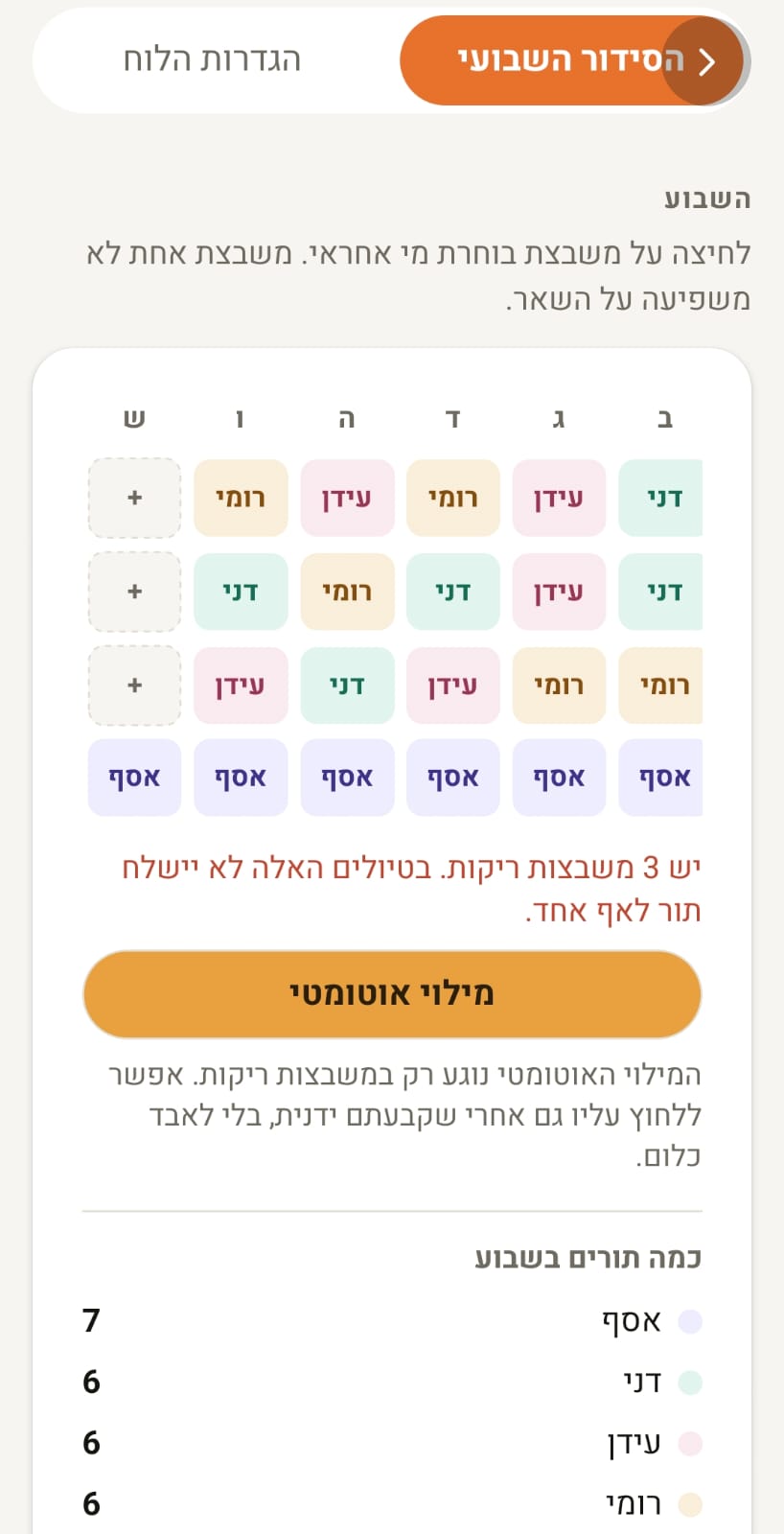
Set the household's regular walk times once and mark who is in the rotation. From there the schedule fills itself. Any slot can be tapped and changed by hand, and auto-fill only ever touches empty slots, so an assignment someone made deliberately cannot be overwritten.
- Everyone has their own turn, and the week's count per person is visible. That settles the "I always end up doing it" argument with a number instead of an argument.
- Swap requests in one tap. Whoever cannot make it sends a request to the household, and whoever agrees takes the slot.
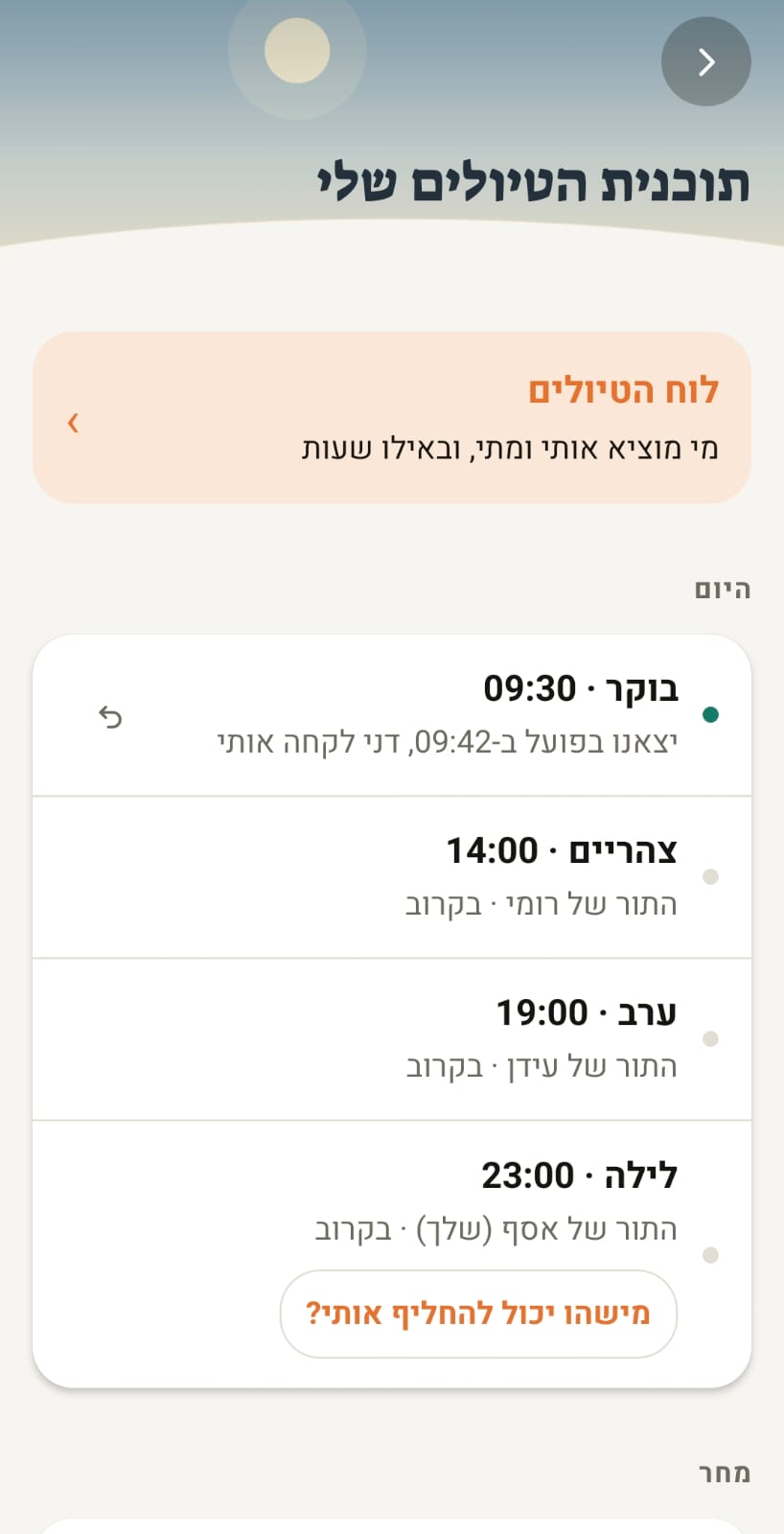
- Marking a walk attaches to the right scheduled slot even if you went out early or late. Went out unprompted? It is logged as a bonus walk.
Reminders that do not nag
The notification design starts from one assumption: an app that nags gets its notifications switched off, and then it cannot remind anyone of anything. So there are exactly three moments around a walk.
- At walk time, to whoever's turn it is.
- After 45 minutes, if nobody has gone out, a call to the whole household. Parents are at work, kids are home, and whoever is near the dog is the one who can help.
- After 90 minutes, one last reminder to mark it. Then silence.
No notifications at all between 22:00 and 07:00, and every toggle starts switched off. Turning notifications on is an explicit choice made in settings.
A health record built from one photo
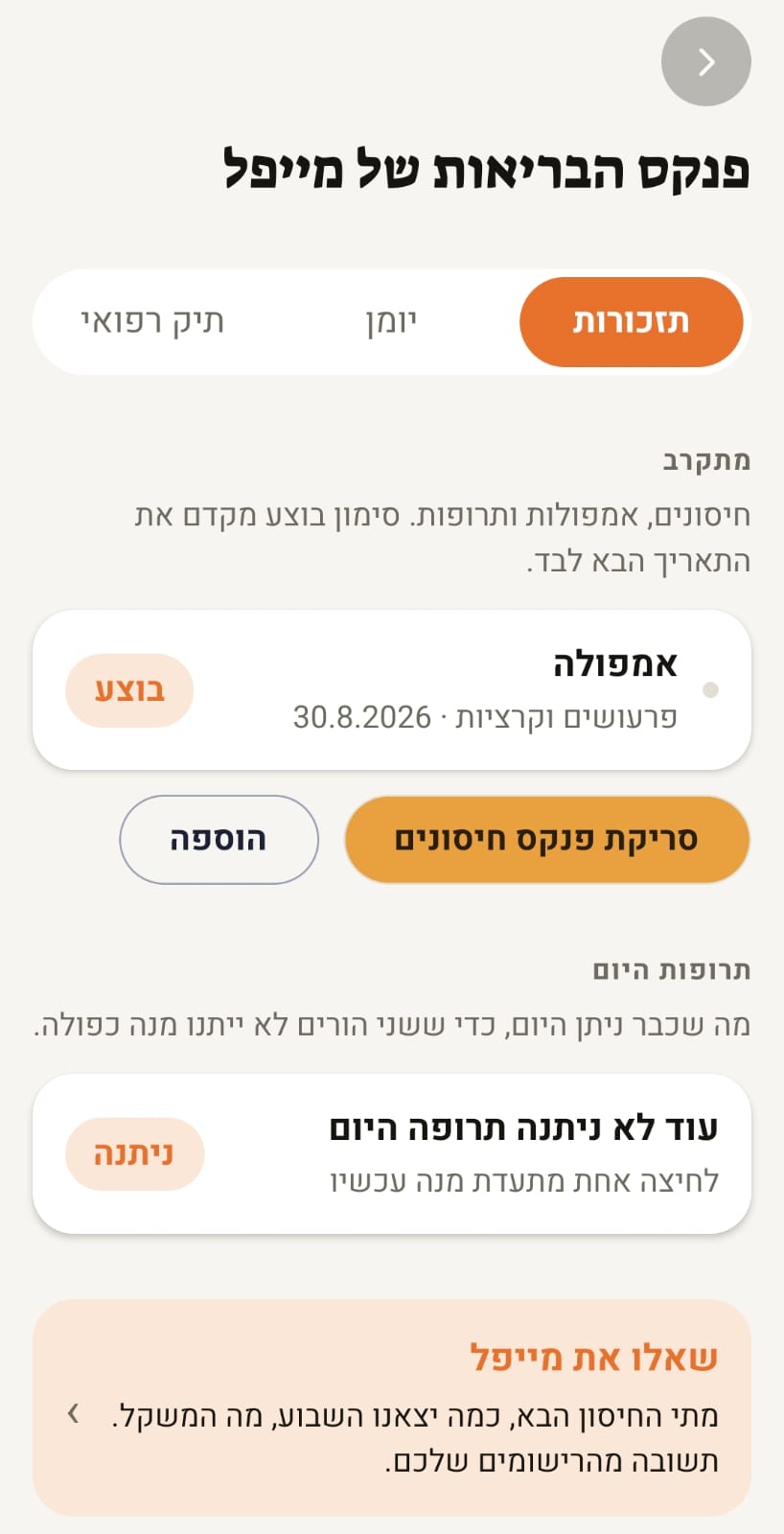
Photograph the paper vaccination booklet and the AI reads it, building the reminders from what is actually written there: vaccines, flea and tick treatments, ongoing medication, checkups. Marking one done rolls the next date forward, so the record does not go stale.
- Today's medication: log a dose in one tap, so two parents do not both give one. That mistake is common and unpleasant.
- Free-text care log: write "ate half his food and had his pill" and the app breaks it into structured entries.
- Weight over time, which is the first thing a vet asks for.
QR passport and lost-dog mode
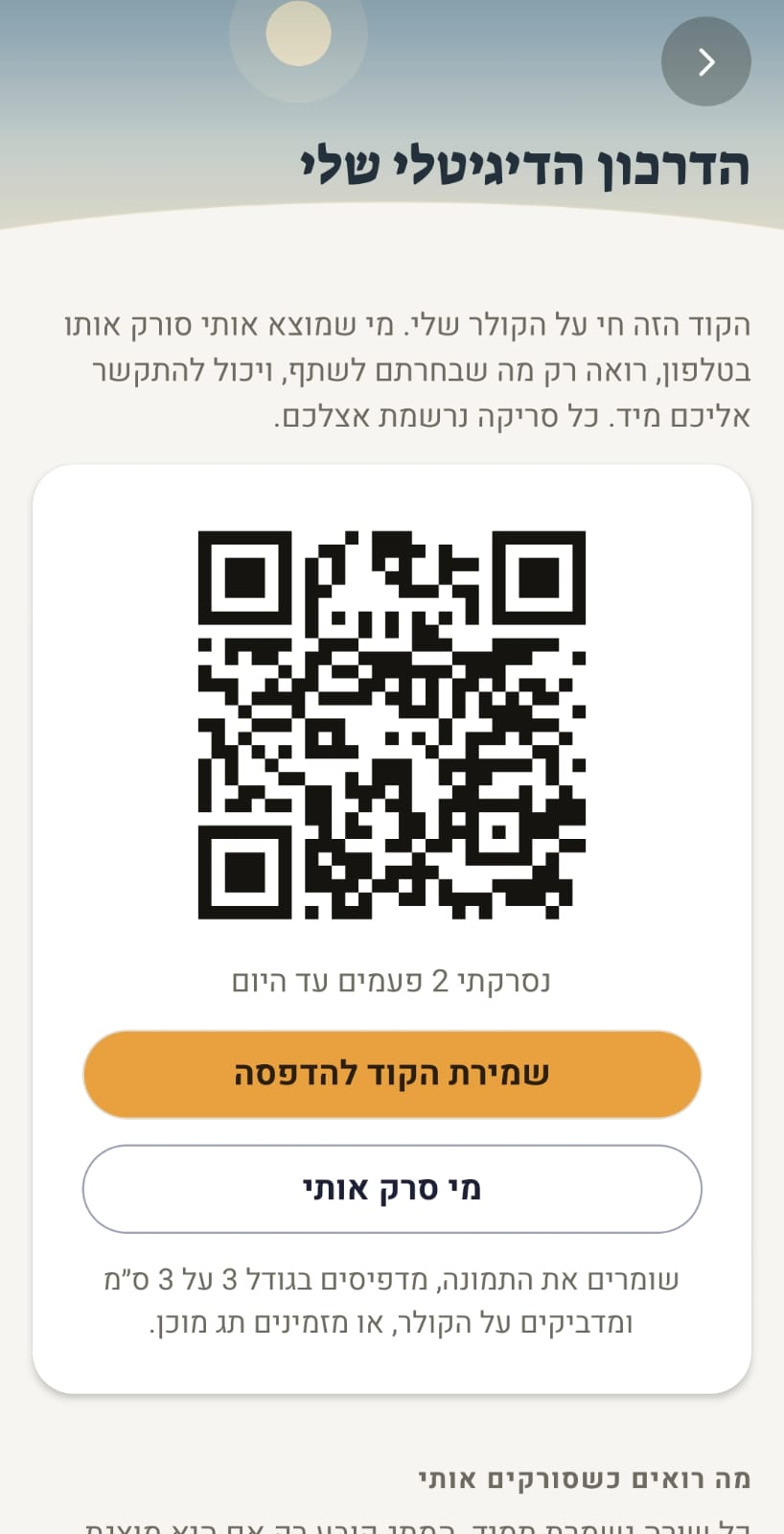
Every dog gets a digital passport with a QR code you can print at 3 by 3 centimetres for the collar, or order as a ready-made tag. Whoever finds the dog scans it with their phone and lands on a public page with your contact details, with nothing to install and no sign-up.
You control what that page shows. In emergency mode it becomes a "help me get home" page, and you can be alerted on every scan, including location when the scanner agrees to share it. Every scan is logged with who and when.
The diary it writes itself
Once a week the app writes a first-person post about the week that was, from the dog's point of view, built from what actually happened: how many walks, who took him, what was missed. Not a generic template but writing about that specific week. For the kids in the house it is usually the reason they open the app at all.
Every Sunday morning there is also a short family report: what got done, who led, and what is coming up in health.
Points, streaks and a sticker album
A walk on time earns points, builds a personal and a household streak, and unlocks achievements in an album that is kept permanently. Points reset weekly; the album does not. That was a deliberate decision: recognition alone does not get a child out in the rain, and something has to remain.
Who it is for
- Families with children who want the dog to genuinely be shared work rather than a daily lecture.
- Couples who want to know whether the dog has been out without having to ask.
- Flatmates who need a split that is clear and visibly fair.
- People adopting a dog who want to start organised: vaccination record, a walk routine, and a tag for the collar.
Free tier and subscription
The free tier is not a demo. It includes the full rotation, the schedule, swap requests, points and streaks, the health record and its reminders, the vaccination-booklet scan, the passport and emergency mode, the weekly diary, the family report, and full data export. Up to six household members on one invite link.
The family subscription adds full retained history, an exportable PDF medical file to print or send to the vet, charts and trends, sitter mode, anomaly detection, location alerts on tag scans, and "ask the dog". The subscription covers the whole household: one parent buying is enough. 9.90 shekels a month or 89 a year.
Privacy
No ads, no data selling, no dark patterns. The data belongs to the family, can be exported in full at any time from inside the app, and the account and everything in it can be deleted in one action. Photos uploaded for booklet scanning are used to extract the entries and nothing else.