Half past seven in the morning, three children in three schools, and someone calls from the kitchen: "who finishes at 1:30 today?" The page with the timetable is in the schoolbag, and the schoolbag is already on its way to school. Shaat Efes is for that moment: everyone's timetables on your phone, and one short answer to the question asked at home every morning and every evening.
Who it is for
Parents with more than one child in school, and especially families with one in primary, one in middle school and one in high school, each with completely different hours.
How it works
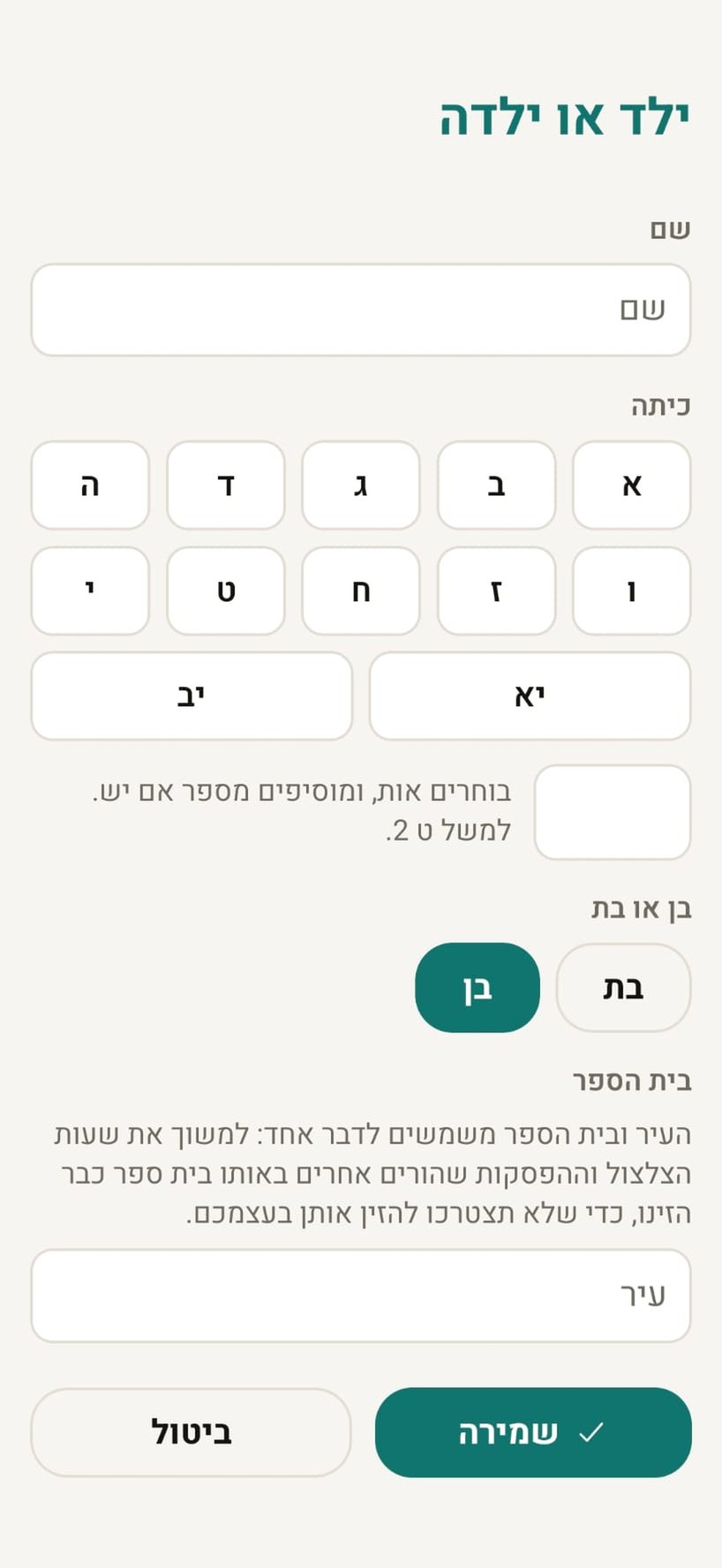
- Add a child. Name, grade, and the school from a list. The school is what connects you to bell times other parents have already entered.
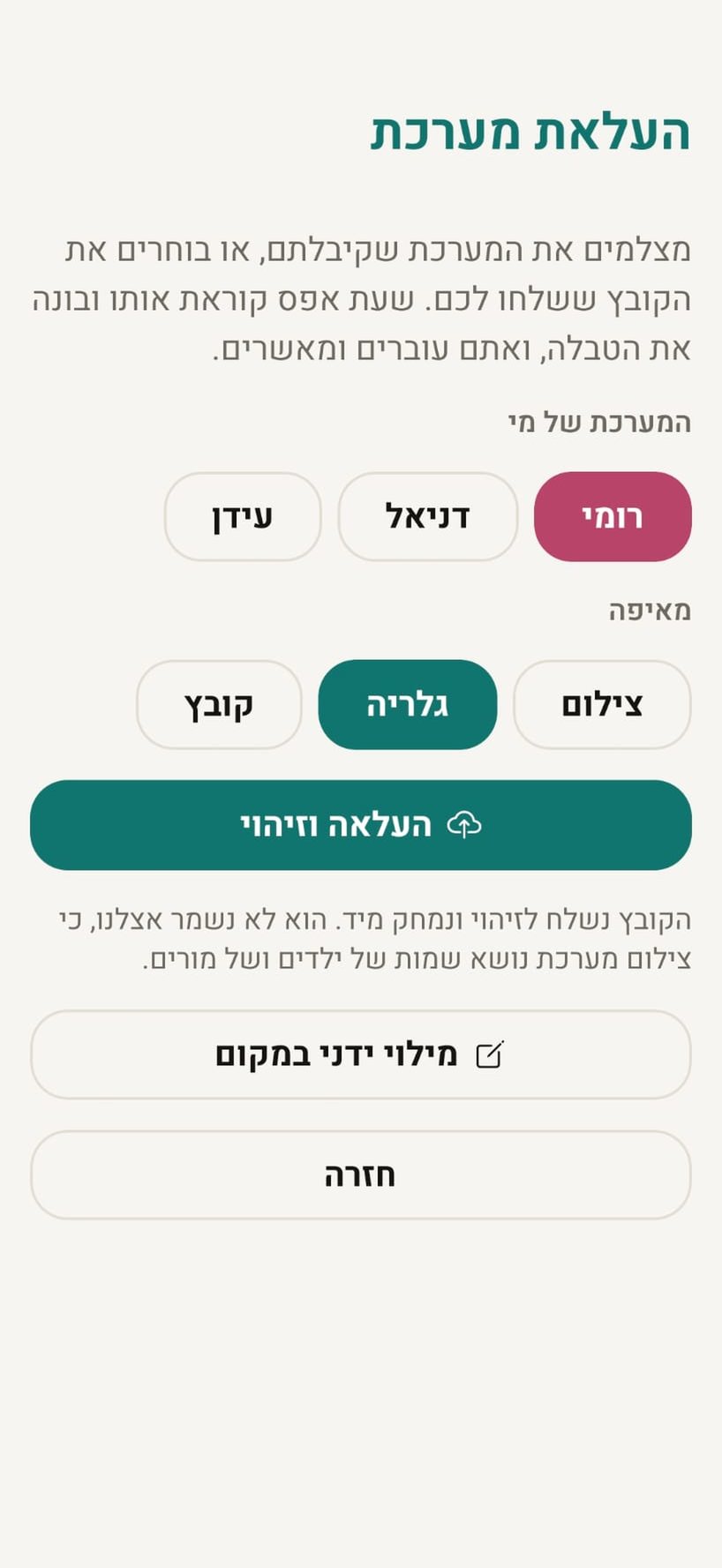
- Upload the timetable instead of typing it. Photograph the page or pick the file the school sent: an image, a PDF or a Word document. The app reads it, builds the table, and you review and approve. Manual entry is always there and always free.
- Add the breaks. When the day starts and when each break is. If another parent at the same school already did, it shows up ready.
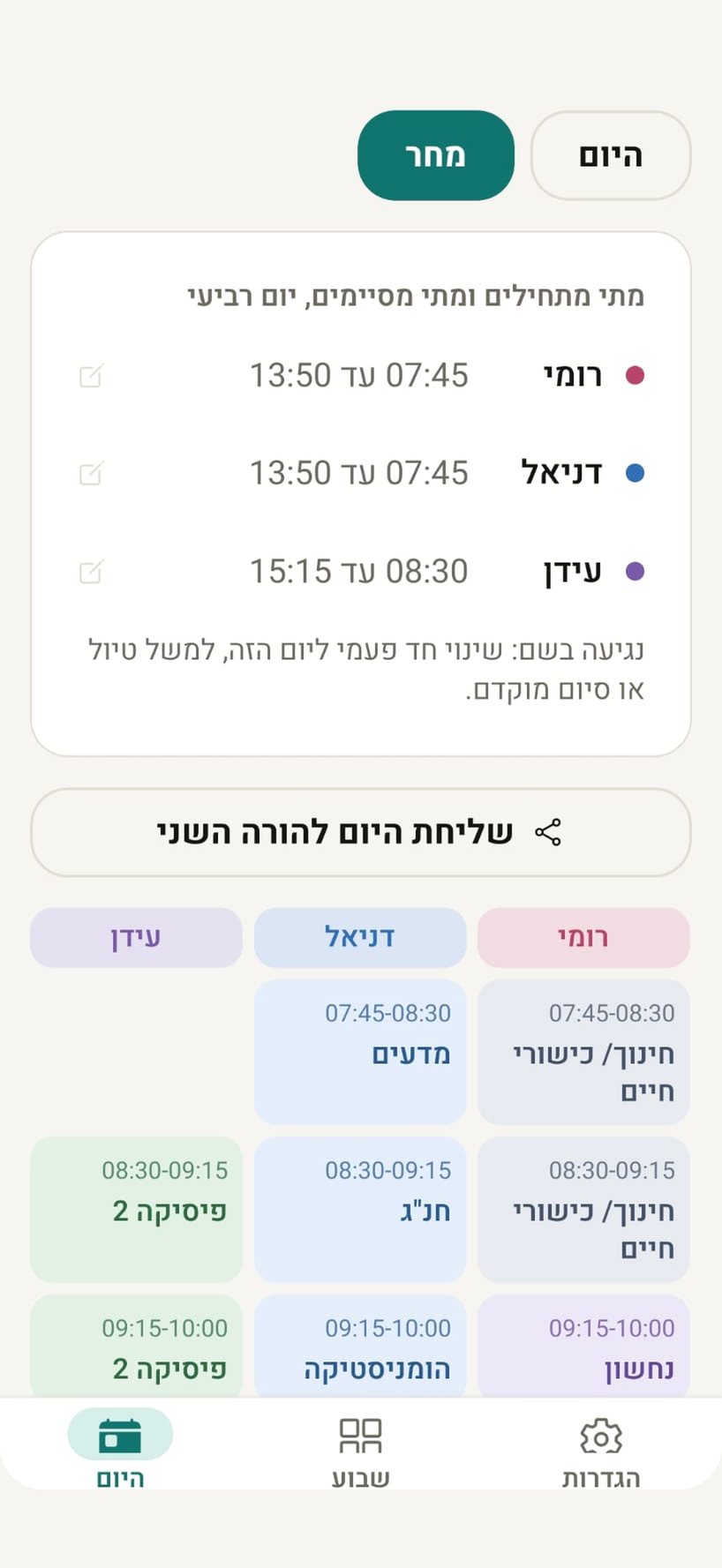
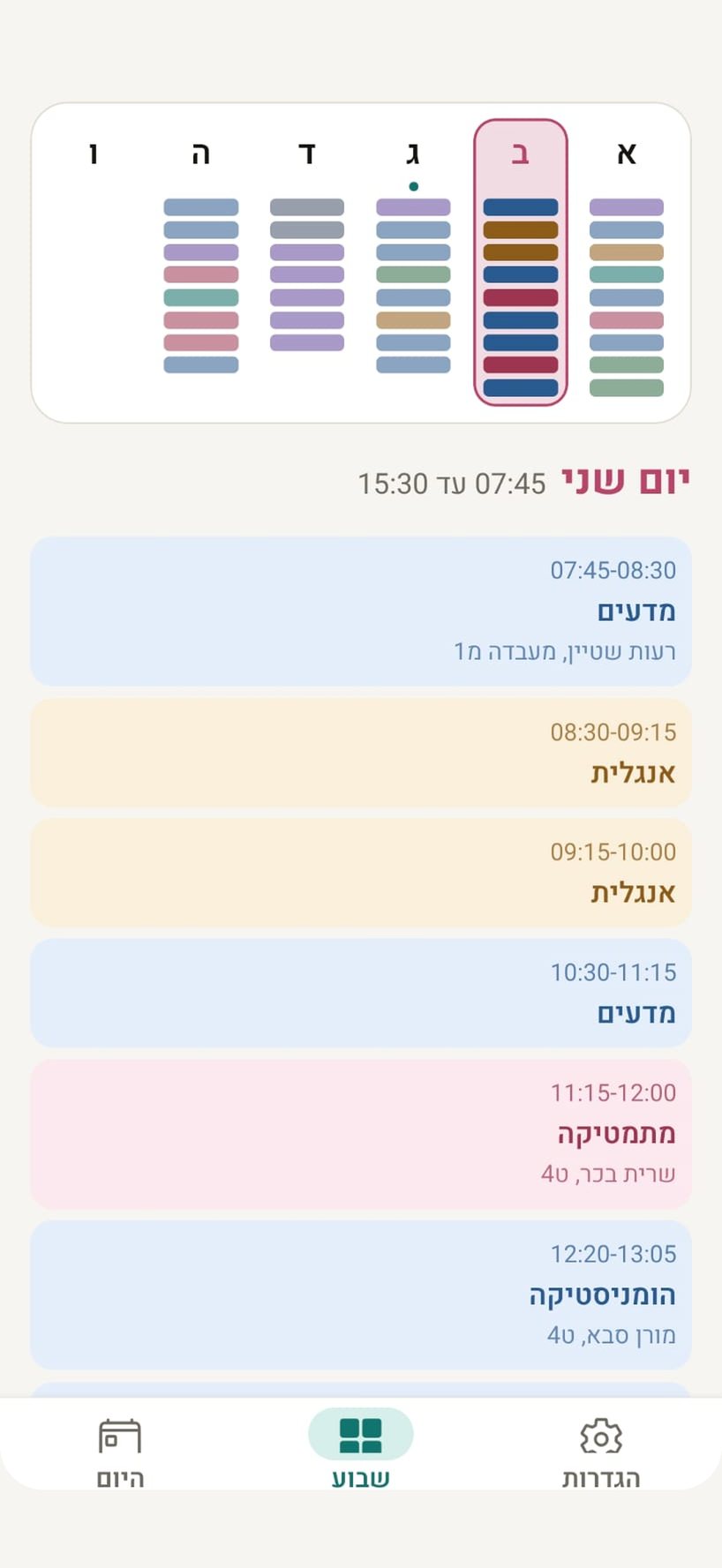
- Then it just works. The Today screen says who starts when, what is on now and when they finish. The Week screen shows each child's full timetable.
Bell times belong to the building, not the child
Primary, middle and high school do not ring at the same time. Each school keeps its own hours, and the first parent to enter them contributes them to everyone after. The school list grows the same way: the Ministry of Education's open registry is frozen at 2015, and a school typed in by three families in the same town joins the list.
No account, and nothing shared that should not be
- No sign-up. No email, no password, no Google account.
- Family code. A second parent gets the same data on their device.
- Class code. Hand a timetable to another parent in the class with a code you pass between you. A child's timetable is never shared automatically.
- Your upload is not stored. It is read and deleted immediately.
Free
Completely free, with one small ad at the bottom of the screen. No subscription, no purchases.