← All projects
Balanced Recipes app icon

Balanced Recipes

A personal Hebrew recipe book: save a recipe from Instagram, TikTok, a site or a photo, and see the calories and protein in every serving. Cook mode with timers, dividers, and a direct link to Maazan.

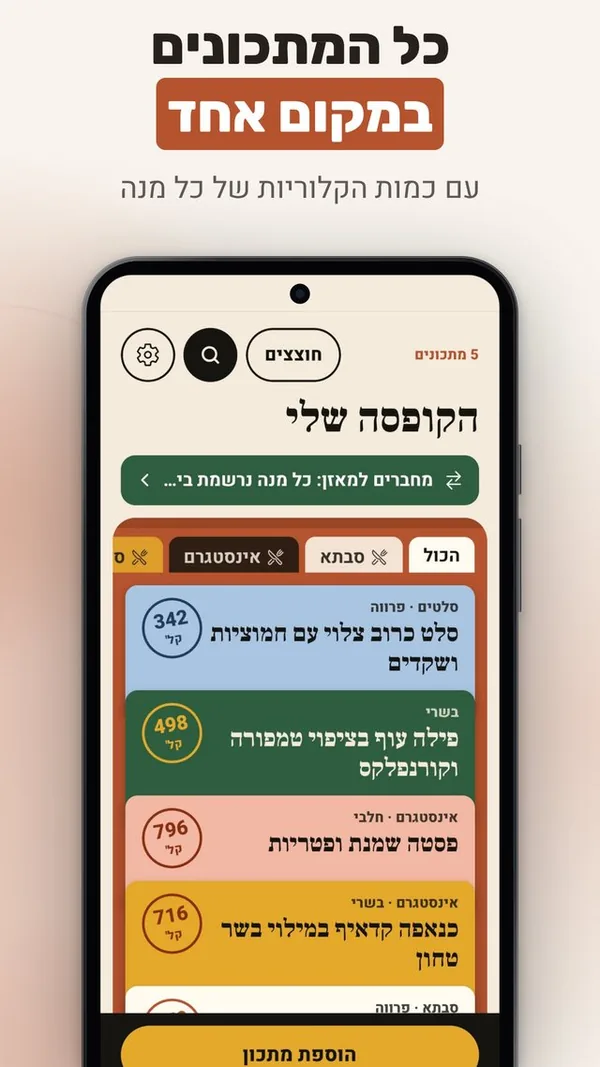
Balanced Recipes, digital recipe book - All your recipes in one place, with the calories of every serving
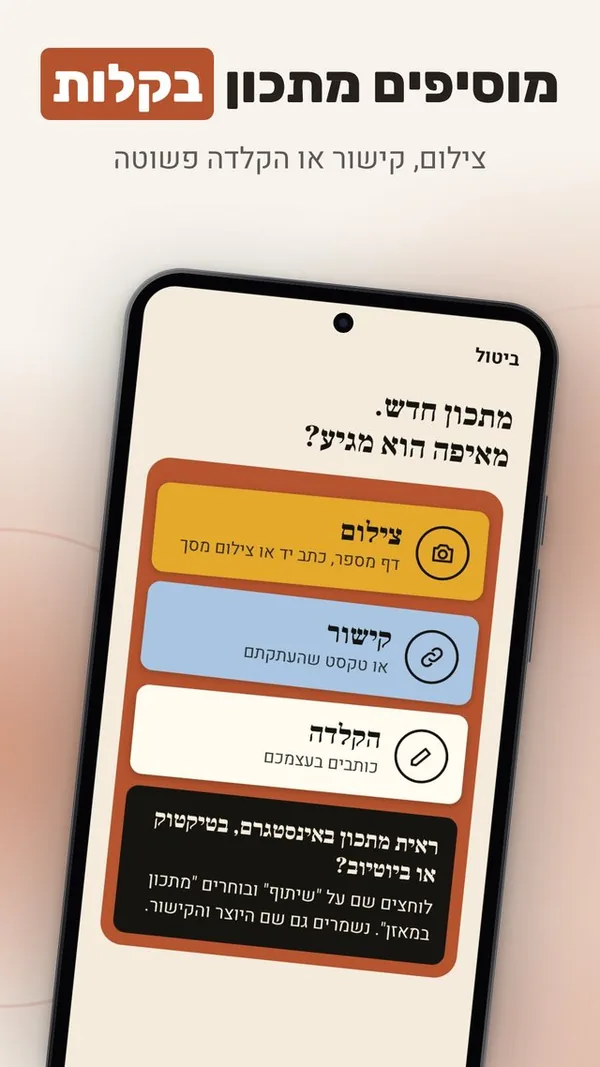
Balanced Recipes, save recipes from a link or photo - Add a recipe easily: a photo, a link or simple typing
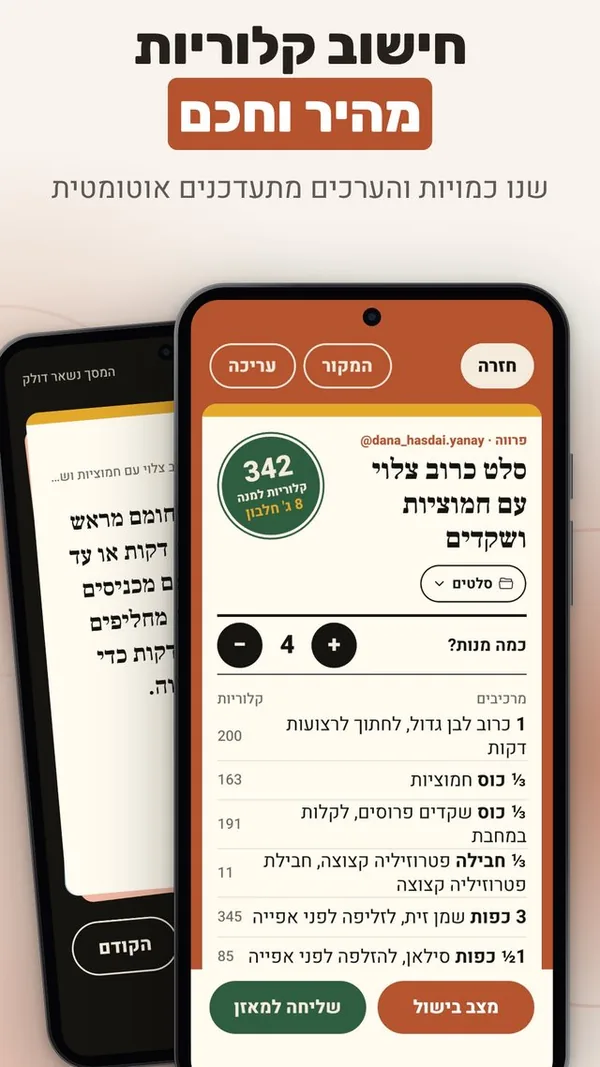
Balanced Recipes, recipe calorie calculator - Fast, smart calorie count: change amounts and the values update
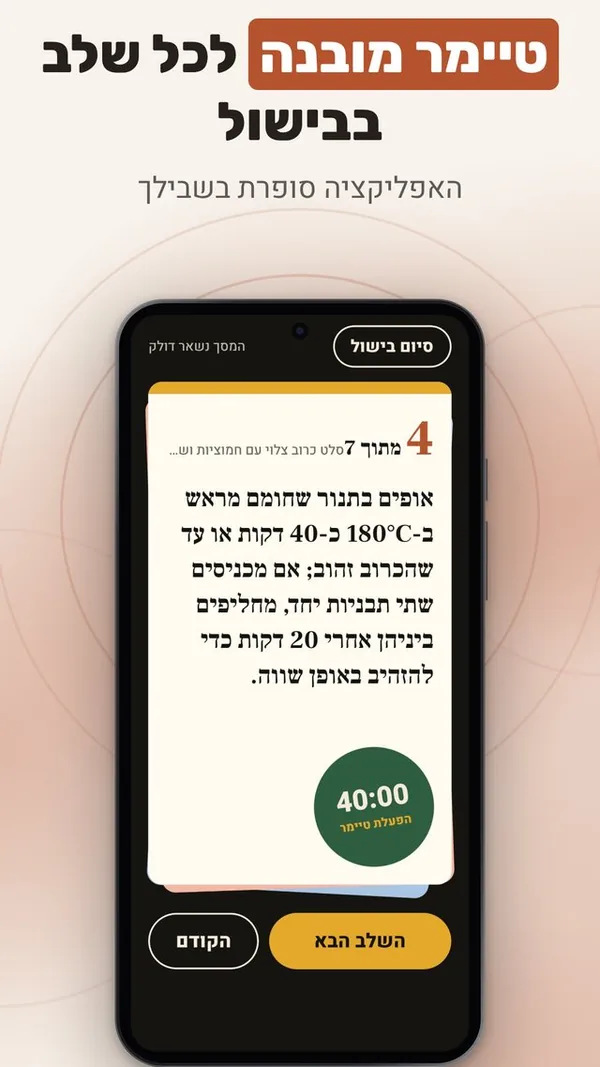
Balanced Recipes, cooking timer - A built-in timer for every cooking step
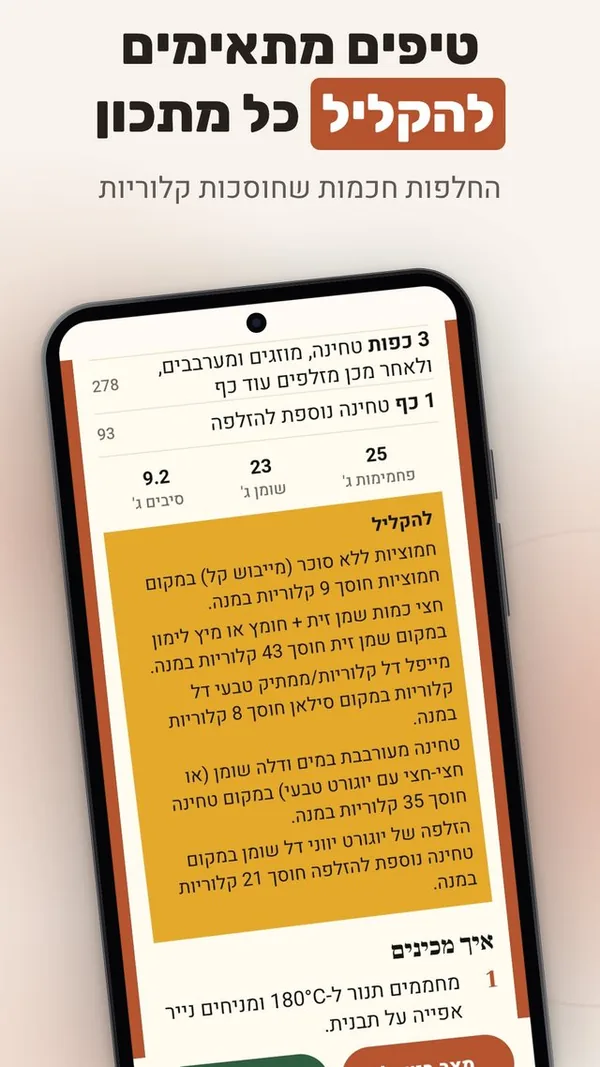
Balanced Recipes, lighter healthy recipes - Tips to lighten any recipe: smart swaps that save calories

Balanced Recipes (in Hebrew: מתכון במאזן) is a personal recipe book for Android, in Hebrew. It gathers recipes from Instagram, TikTok, recipe sites, photos of handwritten pages and plain typing into one box, and keeps each one clean, with the calories and protein in every serving.

Save a recipe from anywhere

Calories and protein per serving

Every ingredient is matched against a Hebrew food database of more than 32,000 items. Each recipe carries a stamp with calories and protein per serving, plus carbs, fat and fiber, and the calories of each ingredient.

Cook from the phone

Cook mode shows one step per screen in large type and keeps the screen on; a step with a time gets a one-tap timer. Servings scale every amount, and "lighten" suggests swaps with the calories each one saves.

Works with Maazan

Maazan is the sister app, a Hebrew food diary. "Send to Maazan" passes a dish with the recipe's exact values, on the phone itself. After the first dish, the Maazan bar on the home screen offers the newest recipe not sent yet, in one tap.

The international edition: Balanza Recipes

Since 19 November 2026 Balanced Recipes has an international sibling: Balanza Recipes, the same recipe book in ten languages (English, Spanish, Portuguese, Romanian, Greek, Hungarian, Bulgarian, Slovak, Czech and Russian). It saves a recipe from a link, a photo or a share from Instagram and TikTok, shows the calories and protein of every serving, and sends the dish to Balanza, the international edition of Maazan. On Android, on Google Play.

Links

Technology

FAQ

What is Balanced Recipes?

Balanced Recipes (in Hebrew: מתכון במאזן) is a personal recipe book for iPhone and Android, in Hebrew, that knows the calories and protein in every serving. Save a recipe from Instagram, TikTok, a recipe site, a photo of a page or of handwriting, or type it, and it is kept clean and tidy in one box with nutrition values per serving.

How do I save a recipe from Instagram or TikTok?

Tap "Share" on the post or video and choose the app. It reads the caption, pulls out the ingredients and the method, and keeps the creator's name and the link to the source.

How are the calories worked out?

Each ingredient is turned into grams and matched against a Hebrew food database of more than 32,000 items based on Israeli Ministry of Health data. The totals are divided by the number of servings. When an amount is vague, the app asks a short question instead of guessing.

What is cook mode?

One step per screen in large type, with the screen kept on. A step that mentions a time gets a one-tap timer with a ring you choose, which sounds even when the phone is locked.

How does it work with Maazan?

Maazan is the sister app: a Hebrew food diary. A "Send to Maazan" button passes the dish with the exact values of the recipe, on the phone itself, with no account linking. After the first dish, the Maazan bar on the home screen offers the newest recipe not sent yet, in one tap.

Is there a version in other languages?

Yes. Balanza Recipes is the international edition of Balanced Recipes, in ten languages, on Android through Google Play. It works with Balanza, the international edition of Maazan.

Is there an iPhone version?

Yes. It is on the App Store for iPhone and on Google Play for Android.

Can I use it without Maazan?

Yes. It works entirely on its own: saving recipes, nutrition values, dividers and cook mode. The link to Maazan is an extra for anyone who uses both.

Do I need an account?

No. There is no sign-up, no email and no password. Each install gets an anonymous id, and Settings has a recovery code that brings all the recipes back on a new phone.

Are recipes marked meat, dairy or pareve?

Yes. Every recipe is marked meat, dairy or pareve, and the mark shows on its card in the box.